
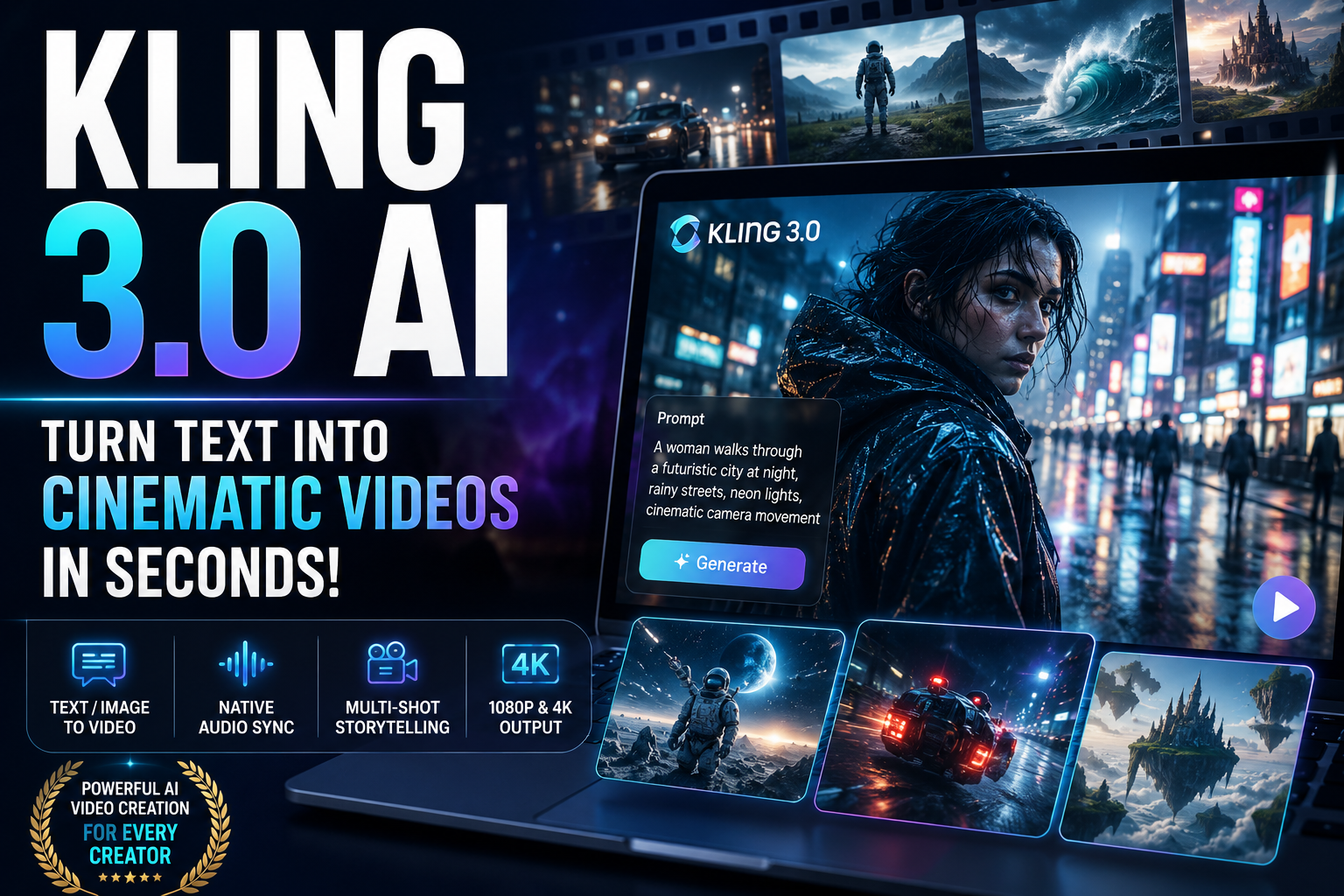
The internet has reached a strange new creative season. A person can type a sentence, choose a visual direction, press generate, and watch a video begin to breathe on screen. Not long ago, that sounded like a fantasy reserved for studios with large budgets, camera crews, lighting rigs, editors, actors, and weeks of production planning. Today, platforms like kling3.io are shrinking that distance between imagination and finished media.
This review looks at what the platform does, who it helps, and why it matters for creators, marketers, small business owners, YouTubers, agencies, e-commerce brands, and anyone who wants to turn raw ideas into polished moving visuals without wrestling with traditional video production.
Kling 3.0 AI is built around a simple promise: give it a text description, image, video, or creative reference, and it helps generate realistic clips, cinematic scenes, controlled motion, native audio, and visually rich media from that starting point. For people who need content quickly but still care about atmosphere, timing, and professional presentation, that promise is powerful.
What Is kling3.io?
kling3.io is an AI-powered video generation platform designed to help users create short, realistic, visually striking video content from prompts and references. Instead of starting with a blank editing timeline, users begin with an idea. That idea might be a product video, a social media ad, a moody city scene, a brand teaser, a character moment, a fashion shot, a YouTube intro, or a quick visual concept for a client pitch.
The platform gives creators a more direct route from concept to clip. You describe the scene, choose settings such as aspect ratio, duration, route, or mode, then let the system generate the visual result. The appeal is not only speed. The bigger draw is creative access. People who have never touched a camera can suddenly shape motion, atmosphere, lighting, and scene structure in a way that feels closer to directing than editing.
That makes the tool especially useful for creators who are strong at ideas but limited by budget, time, equipment, or technical production skills.
A Text Prompt Becomes a Visual Scene
The core experience starts with text-to-video. You write what you want to see, and the platform translates that description into moving footage. A prompt can describe a person, location, emotion, camera angle, lighting style, clothing, weather, action, mood, or background detail.
For example, a user could request a stylish model walking through a neon-lit city street after rain, with reflections glowing on the pavement and crowds moving in the background. Instead of needing a real street, a model, a camera operator, props, permits, and post-production, the platform builds a generated scene from the prompt.
This opens a practical door for solo creators and small teams. They can test visual ideas before investing in live shoots. They can prototype campaign concepts. They can produce short-form clips for TikTok, YouTube Shorts, Instagram Reels, Facebook ads, landing pages, and product showcases.
The platform does not remove the need for taste. A vague prompt may produce a vague result. A strong prompt with clear visual direction can guide the generator toward a sharper outcome. In that sense, the best users will not simply type “make a cool video.” They will describe movement, camera behavior, color, pacing, subject detail, and purpose.
Built for Modern Content Creators
The biggest strength of kling3.io is how clearly it speaks to the needs of today’s content economy. Creators are no longer making one video every few months. Many need daily clips, weekly ads, launch visuals, thumbnails, teasers, Shorts, reels, course content, brand experiments, and campaign variations.
That demand can exhaust even experienced teams. Traditional production can be slow, expensive, and awkward to revise. AI video generation gives creators a new way to explore faster.
A YouTuber could generate atmospheric B-roll for a documentary-style intro. A fitness coach could create punchy promotional clips for a new programme. A fashion seller could test different product scenes without booking locations. A digital agency could show clients visual drafts before building a full campaign. A music artist could sketch out a concept for a video mood board. A property marketer could create cinematic lifestyle scenes around a location or rental offer.
The platform helps people move from “I have an idea” to “I can show this idea” with far less friction.
Realistic Motion Makes the Difference
One of the most important qualities in AI video is movement. Viewers can forgive a slightly imperfect still image, but strange motion instantly breaks the illusion. If a person floats, a hand bends oddly, a camera lurches without logic, or objects slide as if gravity has taken a break, the clip feels artificial.
kling3.io presents its video engine as focused on physics-aware motion, camera control, and more believable scene behaviour. That matters because realism in video is not only about sharp images. It is about weight, timing, balance, contact, and continuity.
A coat should swing as someone walks. A car should move with momentum. A camera should glide with purpose. A face should remain coherent across frames. Light should behave consistently. These small details shape whether a clip feels usable or disposable.
For marketers and creators, believable motion means less time rejecting outputs and more time building content around the best results.
Native Audio Sync Adds Another Layer
Video without sound can still work, but sound often gives a clip its pulse. The platform highlights native audio sync, including dialogue, sound effects, ambience, music, and lip-sync style features depending on mode and plan.
This is a major advantage for people who create ads, explainers, character clips, product promos, or social storytelling. In older workflows, a creator might generate visuals in one tool, record voice in another, add effects elsewhere, then spend extra time aligning everything manually. An AI system that can handle audio closer to the generation stage simplifies the process.
For short-form video, that matters enormously. A few seconds of synced dialogue, clean ambient sound, or matching effects can turn a flat clip into something more watchable. It also helps users produce content for platforms where sound-on viewing is common.
Audio is not just decoration. It anchors attention.
Multi-Shot Creation for Better Storytelling
Single-shot AI clips can look impressive, but they often feel like isolated fragments. Multi-shot generation moves the tool closer to storytelling. Instead of producing one floating visual moment, creators can build clips with scene progression, different angles, and a more structured flow.
That is important for ads and narrative content. A product video might open with a close-up, cut to a lifestyle shot, then finish with a clean brand-focused frame. A travel teaser might begin with a wide landscape, switch to a person walking, then close on a dramatic detail. A character scene could move between dialogue, reaction, and environment.
Multi-shot control helps users think more like directors. It encourages planning, pacing, and visual rhythm. Instead of relying on one flashy image, a creator can shape a sequence that feels more complete.
Draft Mode Is Useful for Fast Experimenting
One of the smartest features on kling3.io is Draft Mode. The site presents it as a faster way to test camera angles, motion, and prompts before spending more effort on final-quality renders.
That is how creative work usually happens. First drafts are rarely perfect. A prompt may need stronger detail. A shot may need a different angle. A product may need better framing. A character may need clearer movement. A brand video may need a different mood.
Fast previews encourage experimentation. Users can test several directions, compare outcomes, and refine the idea before committing to higher-quality output. This is especially useful for agencies, freelancers, and marketers who need options.
Instead of guessing what will work, they can rapidly explore.
Motion Control Gives Users More Direction
A common complaint about AI video tools is randomness. Sometimes the result looks beautiful but ignores the intention. Motion control helps solve that problem by giving users more influence over movement, camera behaviour, and visual flow.
For creators, control is everything. A product ad may need a slow push-in. A cinematic scene may require a dolly movement. A fashion clip might call for a tracking shot. A dramatic reveal may depend on a tilt, zoom, or carefully timed shift in focus.
The platform’s motion-related tools help creators guide the shot instead of simply hoping for a lucky render. That makes the experience feel less like spinning a slot machine and more like shaping a brief.
Image, Video, and Style References Expand the Workflow
Text alone is useful, but references make AI creation more practical. The platform supports workflows such as text-to-video, image-to-video, style references, and video-related inputs depending on selected tools.
This helps when a creator already has brand assets, product photos, character designs, mood boards, or previous clips. A reference gives the system something visual to follow. That can improve consistency and reduce the gap between the user’s imagination and the generated result.
For e-commerce, this is especially valuable. A business may already have product images but lack lifestyle footage. Image-to-video can help animate those concepts into something more engaging. For personal brands, reference-driven creation can help maintain a more consistent look across multiple clips.
Consistency is where many AI tools struggle, so any workflow that improves visual continuity is worth attention.
Who Can Benefit From This Platform?
kling3.io can help several types of users.
Content creators can use it to produce short clips, intros, visual hooks, background scenes, and experimental video ideas. It can give them more output without multiplying production time.
Marketing teams can use it for ad testing, campaign mockups, product launches, social media variations, and visual storytelling. Instead of paying for a full shoot before validating an angle, teams can generate drafts and test concepts quickly.
Small business owners can create promotional media without hiring a full production crew. A salon, restaurant, property rental, online shop, or coaching brand could use generated clips to make their offers feel more polished.
Agencies can use it during ideation. Client pitches often need visuals before the final budget is approved. AI-generated scenes can help explain a concept with more impact than a written paragraph.
E-commerce sellers can turn static product ideas into motion-driven ads. Video often attracts more attention than still images, especially on social platforms.
Filmmakers and visual artists can use it for concept development, storyboarding, mood exploration, and scene testing. It may not replace a finished film production, but it can accelerate the creative planning stage.
How It Helps a Person Save Time
The most obvious benefit is speed. A person can move from idea to generated clip much faster than with traditional production. There is no need to secure a location, hire actors, arrange lighting, rent equipment, or wait for a full editing process just to see whether a concept works.
That speed helps users act on ideas while they are fresh. Instead of parking a concept in a notes app, they can test it visually. Instead of spending hours searching stock footage, they can generate something closer to the exact scene they need. Instead of building every variation manually, they can adjust a prompt and create a new direction.
Time saved is not only about convenience. It also changes how people create. Faster iteration leads to more experiments, and more experiments often lead to stronger final content.
How It Helps a Person Save Money
Video production can be expensive. Even a simple shoot may involve equipment, editing, voiceover, actors, locations, travel, props, and revisions. For many small businesses and independent creators, those costs can block good ideas from becoming real assets.
An AI video platform gives users a lower-cost way to create visual material, especially for early-stage concepts, short ads, social media clips, and test campaigns. It can reduce dependence on stock libraries and help avoid paying for production before a creative direction has been proven.
That does not mean every business should abandon professional videographers. High-stakes brand campaigns may still need human crews, custom strategy, and expert editing. But for everyday content needs, quick prototypes, and digital-first media, this platform can lower the entry barrier.
The Review: What Stands Out Most
The strongest part of kling3.io is the combination of accessibility and production ambition. It is not presented as a toy for random clips. It aims at professional-style output, with features such as native audio, motion control, multi-modal editing, Draft Mode, commercial usage options, and higher-resolution generation.
The interface also appears built around practical use cases. It points toward ads, social media, e-commerce, film production, VFX workflows, and creator content. That shows the platform understands why people generate video in the first place. They are not creating clips just to admire technology. They need assets that can sell, explain, entertain, pitch, or publish.
Another strong point is creative range. Users are not locked into one rigid workflow. They can start with text, use references, experiment with style, test different routes, and refine outputs. That flexibility is important because every project begins differently.
Where Users Should Be Realistic
AI video tools are powerful, but users should approach them with clear expectations. Prompt quality matters. The more detailed and intentional the instruction, the better the chance of a useful result. A weak prompt may create something generic. A focused prompt can guide the system toward a more usable clip.
Users should also expect some trial and error. Even strong tools may need multiple generations to land the right movement, expression, lighting, or composition. Draft workflows help with this, but patience still matters.
For brand-sensitive work, people should review outputs carefully. Check product details, text accuracy, faces, hands, logos, and scene continuity. AI-generated content can look convincing at a glance while still needing human judgment before publication.
The platform can accelerate creation, but the user remains the creative director.
Best Ways to Use It
For better results, start with a clear scene goal. Decide what the video should accomplish before typing the prompt. Is it meant to sell a product, introduce a brand, create atmosphere, explain a feature, or capture attention in the first two seconds?
Next, write prompts with concrete visual detail. Include subject, action, setting, lighting, camera movement, emotion, colour style, and final mood. Instead of asking for “a luxury product ad,” describe the product, surface, lighting, camera path, background, and feeling.
Use Draft Mode to test ideas before polishing. Try different scene angles, pacing choices, and visual styles. When one direction looks promising, refine it.
Keep videos short and purposeful. AI-generated clips work especially well when they have a clean visual idea rather than too many competing actions.
Finally, combine AI output with human editing. Add captions, brand elements, music choices, voiceover tweaks, call-to-action screens, or final colour adjustments when needed. The best results often come from treating the tool as a creative engine, not a one-click replacement for taste.
Why It Matters for the Future of Content
The biggest shift here is not simply that AI can generate video. The real shift is that more people can now think visually without needing a full production setup. A business owner can test an ad idea. A creator can build atmosphere. A marketer can produce campaign variants. A filmmaker can sketch a scene. A designer can animate a product concept.
That changes the pace of digital media. Content creation becomes more fluid. Ideas can be tested quickly. Campaigns can adapt faster. Visual storytelling becomes available to people who previously had to rely on expensive production pipelines or generic stock footage.
kling3.io sits inside that larger movement. It gives users a route from plain language to moving imagery, with enough features to appeal to both casual creators and more serious production-minded users.
Final Verdict
kling3.io is a compelling AI video generation platform for anyone who wants to create realistic videos, dynamic scenes, and polished short-form media from simple prompts or visual references. Its strongest value comes from speed, creative control, motion realism, audio support, multi-shot potential, and flexible workflows.
For social media creators, it can become a daily idea engine. For marketers, it can speed up campaign testing. For e-commerce brands, it can turn static product concepts into scroll-stopping clips. For agencies, it can strengthen pitches and reduce early production waste. For independent artists, it can unlock scenes that would otherwise sit trapped in imagination.
The platform is best used by people who bring clear direction to the process. It rewards specific prompts, visual thinking, and thoughtful refinement. Used carelessly, it may generate pretty but unfocused footage. Used well, it can help transform a rough concept into a video asset with genuine marketing, storytelling, and creative value.
In a crowded online world where attention disappears quickly, tools like this give creators a sharper way to compete. They do not just help people make more content. They help people make ideas visible.